 Firetool
Home / Features
Features
Everything you need to work with Firestore, in one desktop app
Browse and query, edit safely, move data between projects, script bulk jobs, and keep a record of every change. Here is what each part does.
Browse and query
Any collection, any database, any project
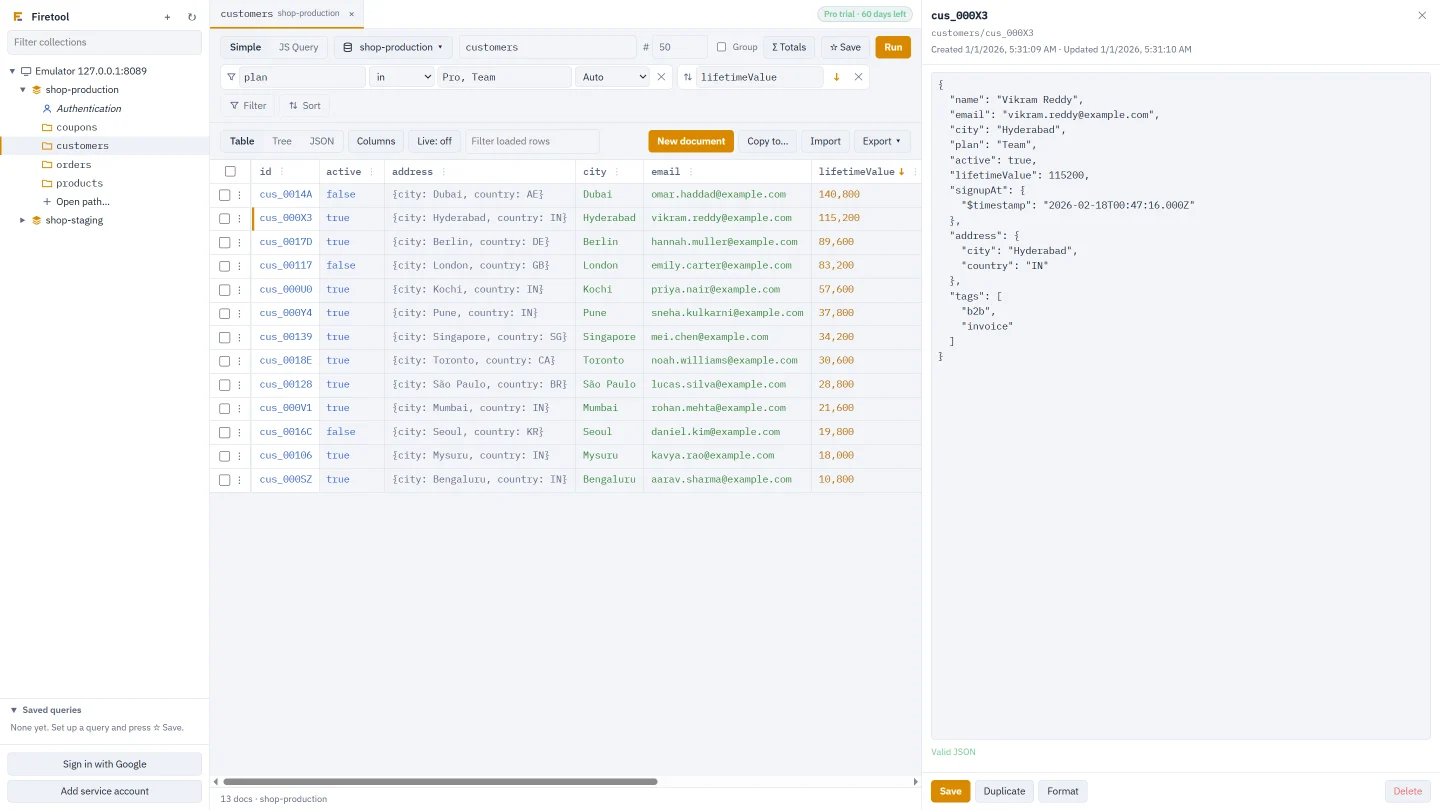
Open collections and collection groups in tabs, then filter, sort and page through them without writing code. Switch a tab to another project or database and keep the same query.
- Filters that match all or any, with every Firestore operator
- Totals: count, sum or average everything a query matches without loading it
- Collection and field names suggested as you type a path
- Table, tree and JSON views; show 500 rows at a time and page on
JS queries
Admin SDK-style scripts, results as a table
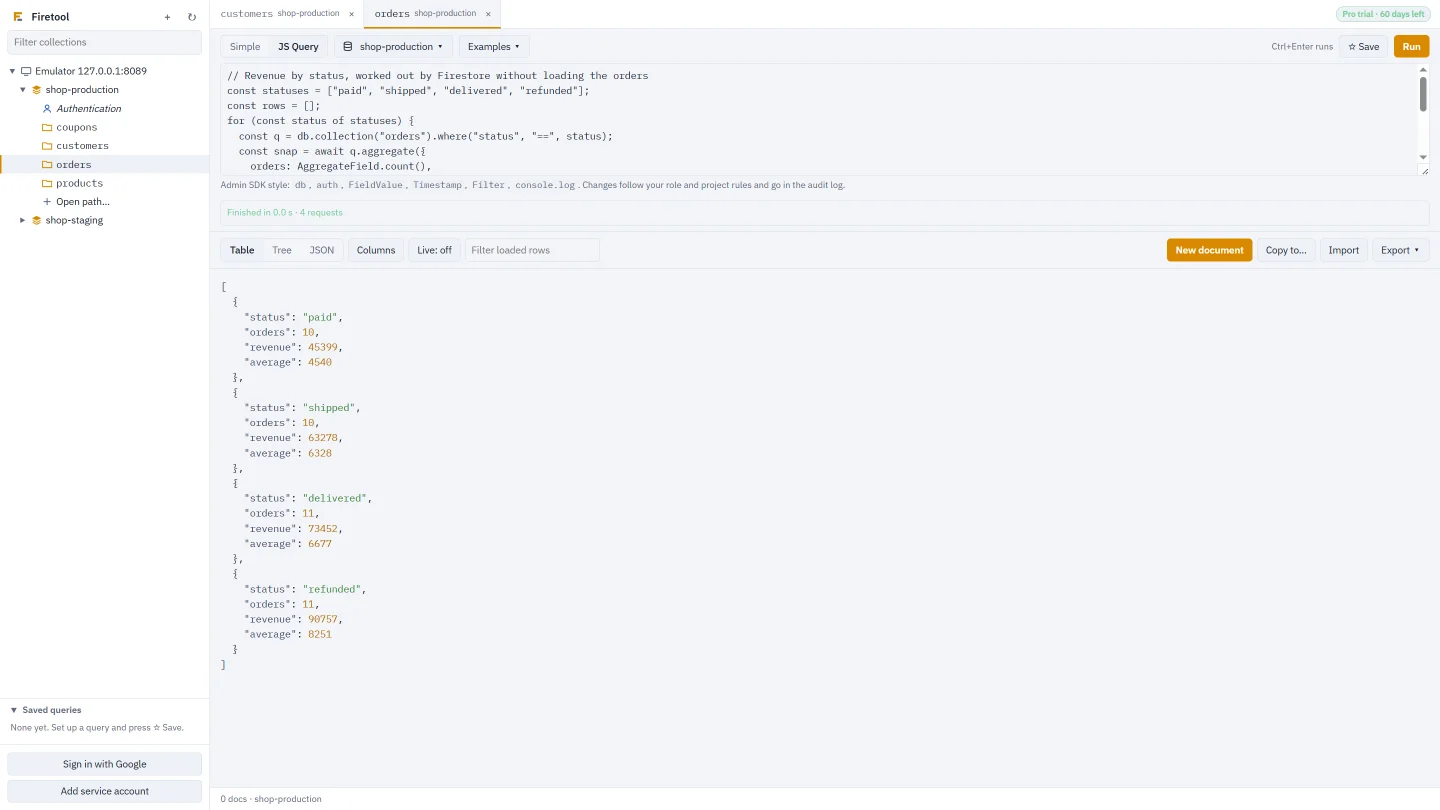
For reports, counts and one-off fixes, write JavaScript the way you would with the Firebase Admin SDK. Return a query or any value and see it as a table or JSON.
db.collection(…).where(…).get(), batches, transactions andFieldValueaggregate(),findNearest()vector search andexplain()- Firebase Authentication through
auth.* - Runs in a separate process that can't read your files; every write passes the same safety checks
Edit and import
Change data without breaking types
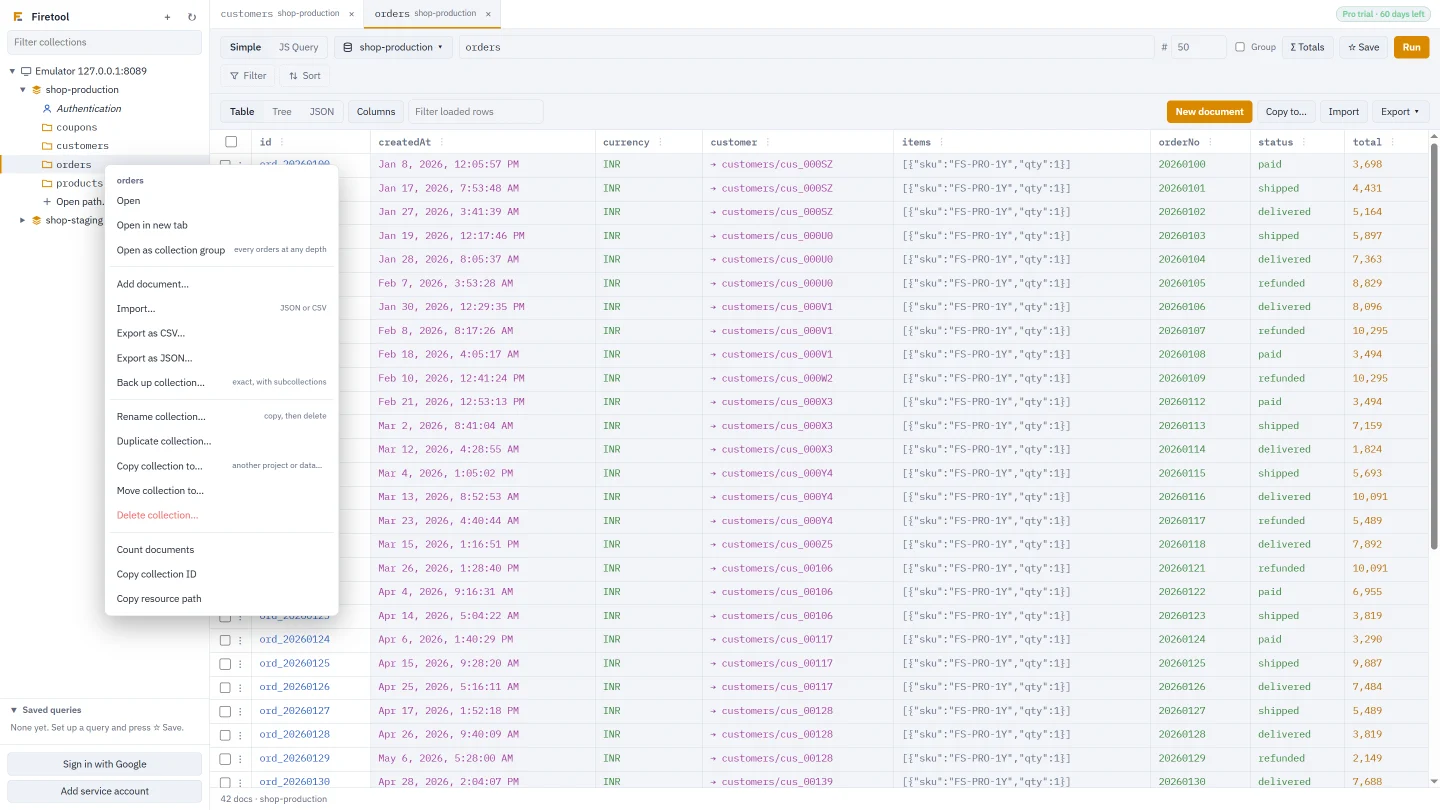
Edit a field in the table or the whole document as JSON. Saving sends only what you changed and keeps every type exactly, and if someone else saved first you're asked before anything is overwritten.
- Large integers keep every digit; 10.0 stays a double; timestamps keep their microseconds
- Set, rename or delete a field in every matching document, with a preview first
- Import CSV or JSON with a type per column, so phone numbers and PIN codes stay text
- Every change is recorded with a copy you can restore
Export, back up and restore
Get data out, and back in
Export any collection or query to CSV that opens cleanly in Excel, with nested fields as their own columns, or to JSON. Back up a collection or a whole database with its subcollections, exactly as stored, and restore it to the same or another project.
- CSV and JSON exports of the rows you see or everything the query matches
- Backups keep exact numbers, timestamps, references and subcollections
- Restore replaces or keeps documents that are already there, and can resume
Data transfer
Move collections between projects and databases
Tools, Data transfer copies the collections you tick from one project or database to another. Or right-click any collection to copy, move, duplicate or rename it.
- Include subcollections, choose custom target paths, or limit documents per collection
- Add only new documents, or replace the ones already there
- References are pointed at the target project
- Stop at any time; Resume carries on without duplicates
Firebase Authentication
Manage users without the console
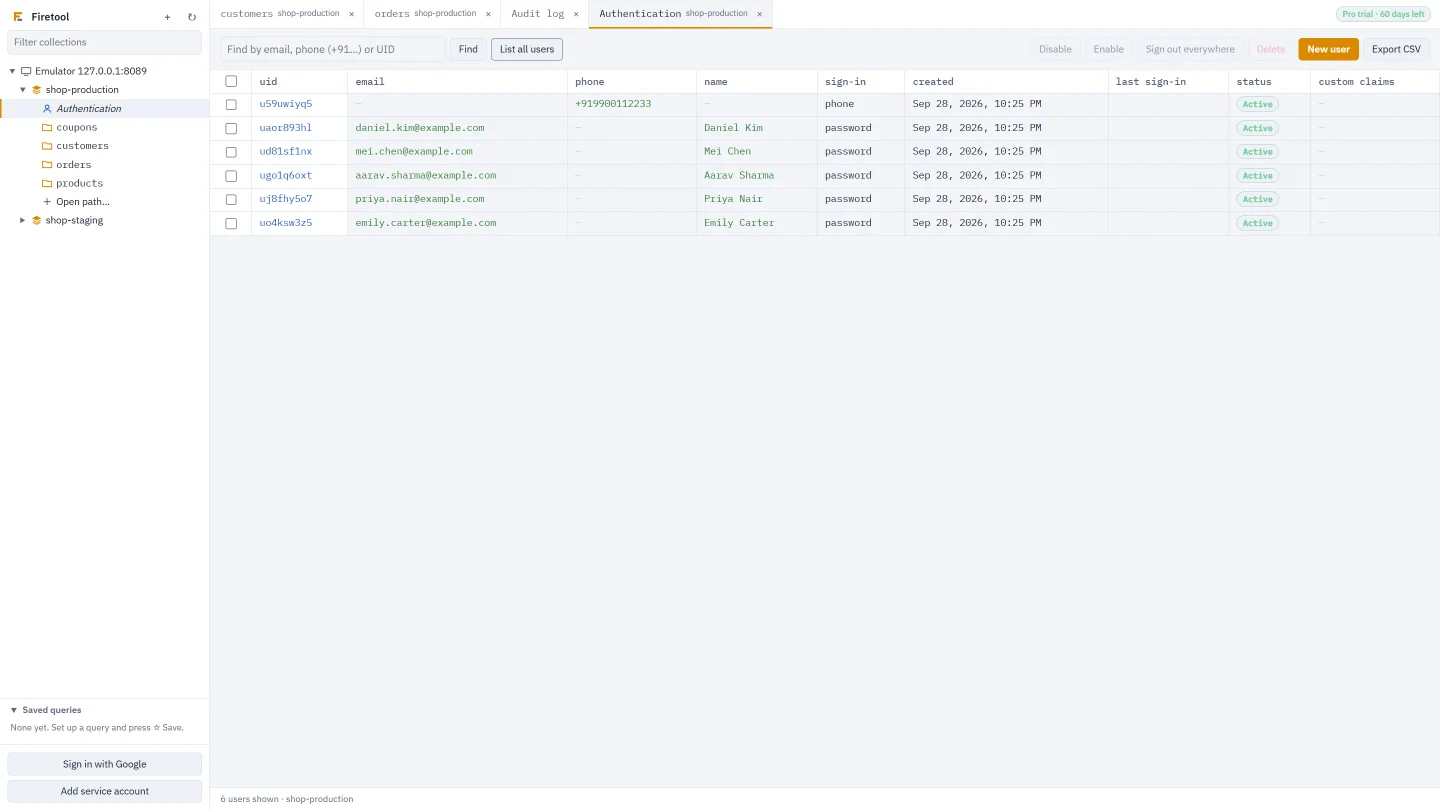
Find users by email, phone number or UID and manage them from the same window as your data.
- Create, disable and delete users; edit custom claims
- Password reset and email verification links
- Sign a user out everywhere
- Export users to CSV; changes go in the audit log
And also
The details that save you time
Live view
Refresh a query every 15 seconds to 5 minutes and see new and changed rows highlighted.
Scheduled exports
Daily or weekly CSV or JSON snapshots with a SHA-256 checksum, run by your system's scheduler even when Firetool is closed.
Composite indexes
See, create and delete indexes. When a query needs one, one click fills it in.
Documents read
The status bar counts the documents each project has read, roughly what Firestore bills.
Updates in the app
Firetool tells you when a new version is out and installs it with one click. IT can turn this off.
Office networks
Follows the system proxy, including PAC scripts, or one you set, with HTTPS to Google only.
Works with
Every computer and every Firestore setup
Windows
Windows 10 and 11, 64-bit and 32-bit. Installs for you only, without admin rights.
macOS
macOS 11 or newer, on Apple Silicon (M1 and later) and Intel Macs.
Linux
64-bit Ubuntu, Debian and Mint (.deb), and Fedora, RHEL, Arch and others (.tar.gz).
Every project
Production, staging, UAT and development side by side, each with its own rules.
Every database
The (default) database and any named Firestore databases, in any region.
Local emulators
The Firestore emulator and the Authentication emulator from the Firebase Emulator Suite.
Try it on your own data
Free for Windows, macOS and Linux, with every Pro feature for the first 30 days.